 SumiCAD
Quantities & estimates
The Quantities tab (next to 3D) measures the model and prices it. Change a wall, a room finish or the roof, and the lists follow.
Quantities 数量
The Quantities 数量 list counts the model: walls and wall layers in m² (net of openings), framing timber by size and spacing, floor and ceiling finishes, and much more — with a waste percentage per line and the running total floor area (延べ面積 in m² and 坪).
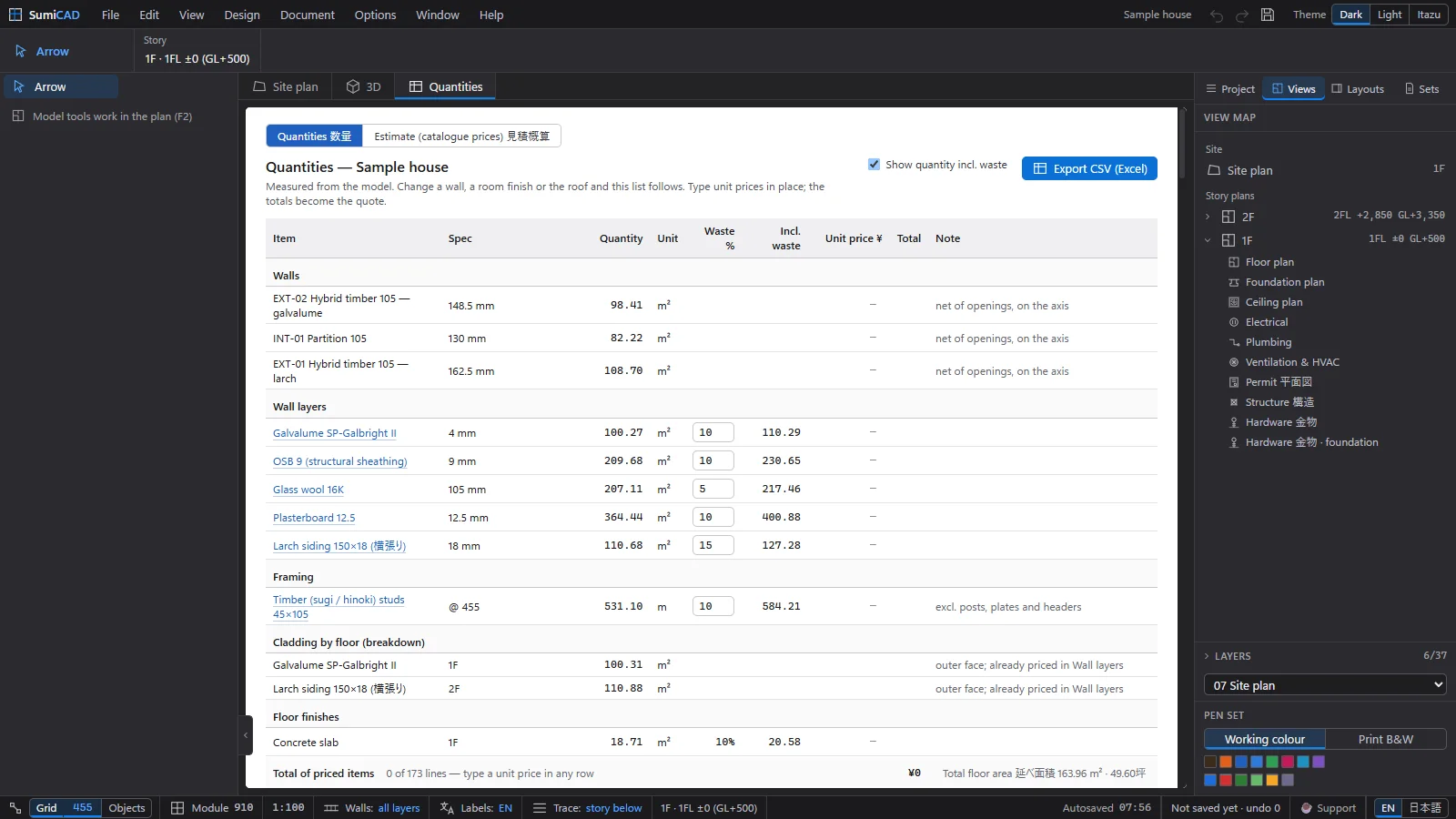
Type a unit price into any row and the totals become a quote. Export CSV (Excel) writes the list out for your spreadsheet.
The estimate 見積概算
The Estimate (catalogue prices) 見積概算 tab prices the catalogue products in the model — windows, doors, kitchens and more — at list price × your rate (掛率), plus markup and tax.
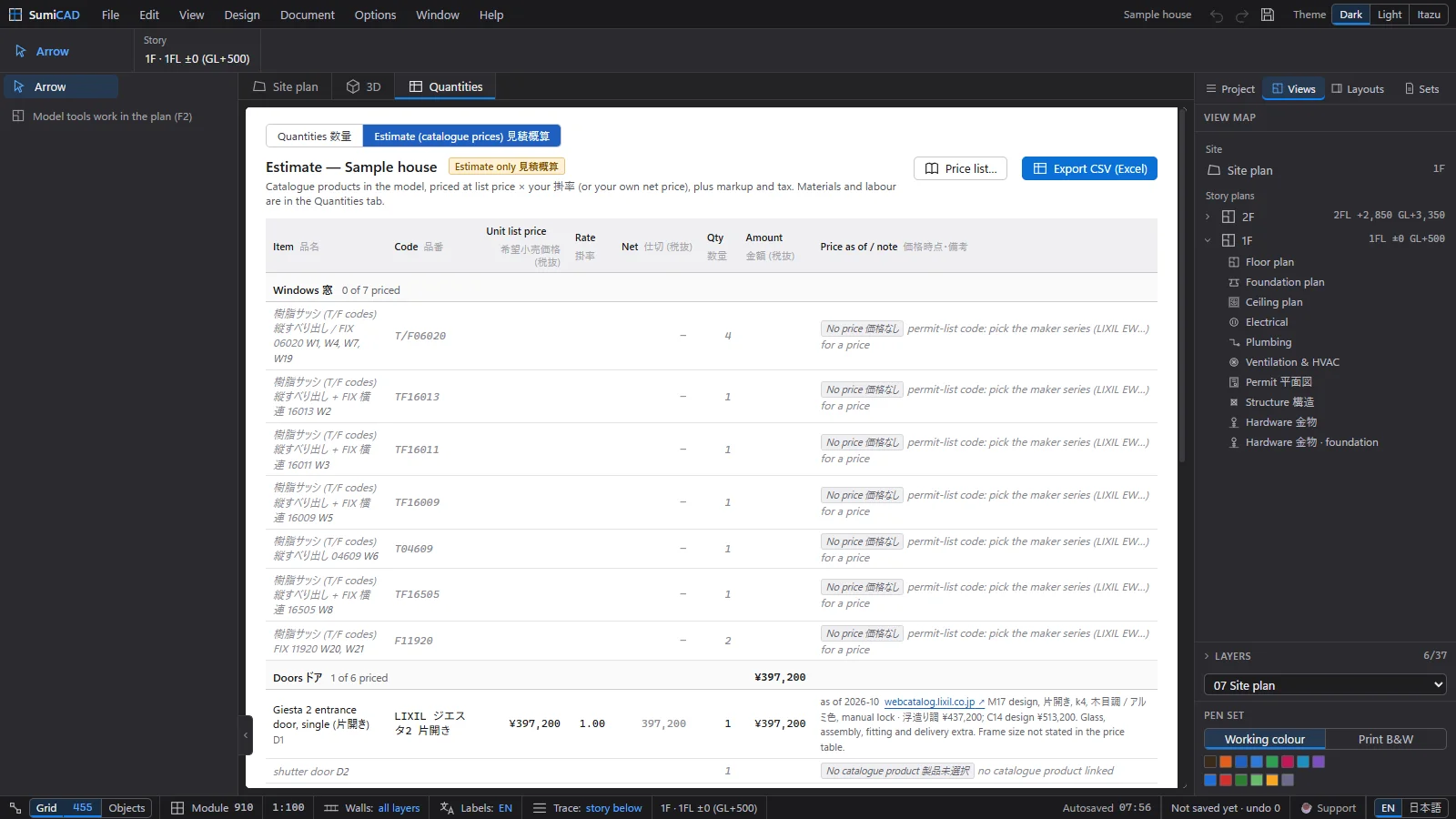
- Items showing No price 価格なし are permit-list codes: pick the maker series (LIXIL, YKK AP…) to get a price.
- Each priced line shows its source and date (“as of 2026-10 · webcatalog.lixil.jp”); lines marked Verify price 価格要確認 should be confirmed with the maker.
Your prices and rates
Price list… opens your firm's pricing panel: the rate (掛率) per maker, a default rate, the markup on net prices, the consumption tax, and the rounding rules.
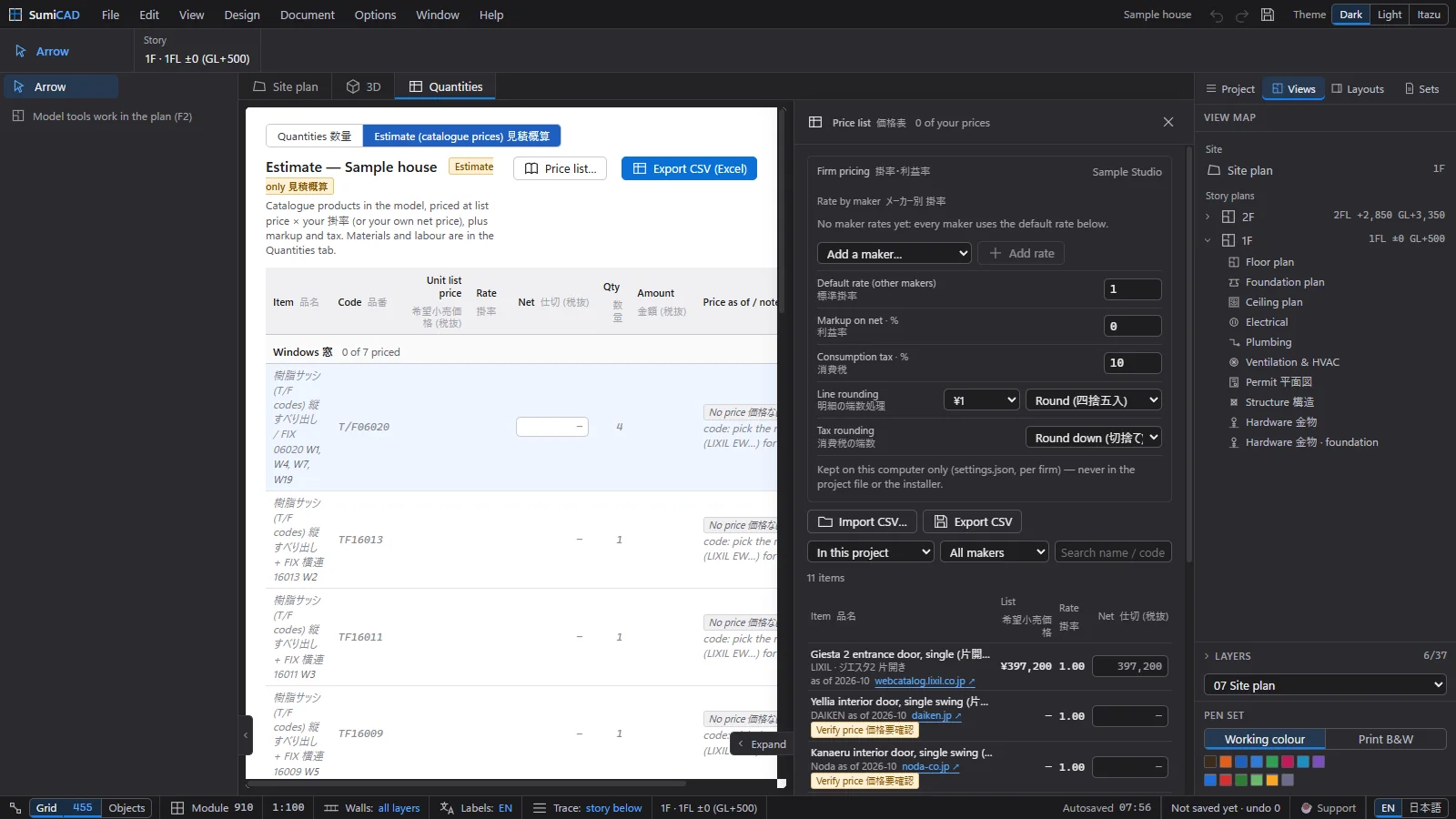
Your prices and rates stay on this computer (per firm) — they are never written into project files or the installer. Import CSV… loads supplier price lists; Export CSV saves yours.